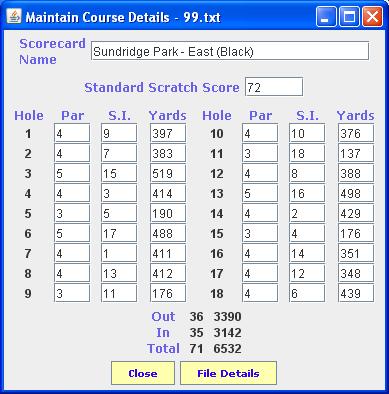
The course maintenance window is shown below
Enter the name of the course that is to be maintained
The user will be taken through the holes 1 by 1. For each hole, enter the Par first and then the Stroke Index. The Par must be either 3 , 4 or 5. The Stroke Index must be between 1 and 18 and each value can only occur once for each course
If there is a problem with any entry, the system will display an appropriate error message and the user will be required to enter a correct value.
If the user clicks on this button, it will close the window and terminate the application
If the user clicks on this button, the course details will be written to file, the window will close and the user will be returned to the previous window where this window was invoked.